
What Does a VPS Actually Cost? (And Why the Advertised Price Isn't It)
A VPS can cost between $5 and $80+ per month for the server. But that advertised price is usually for an unmanaged machine, before a control panel licence, backups, bandwidth overages and your own time.
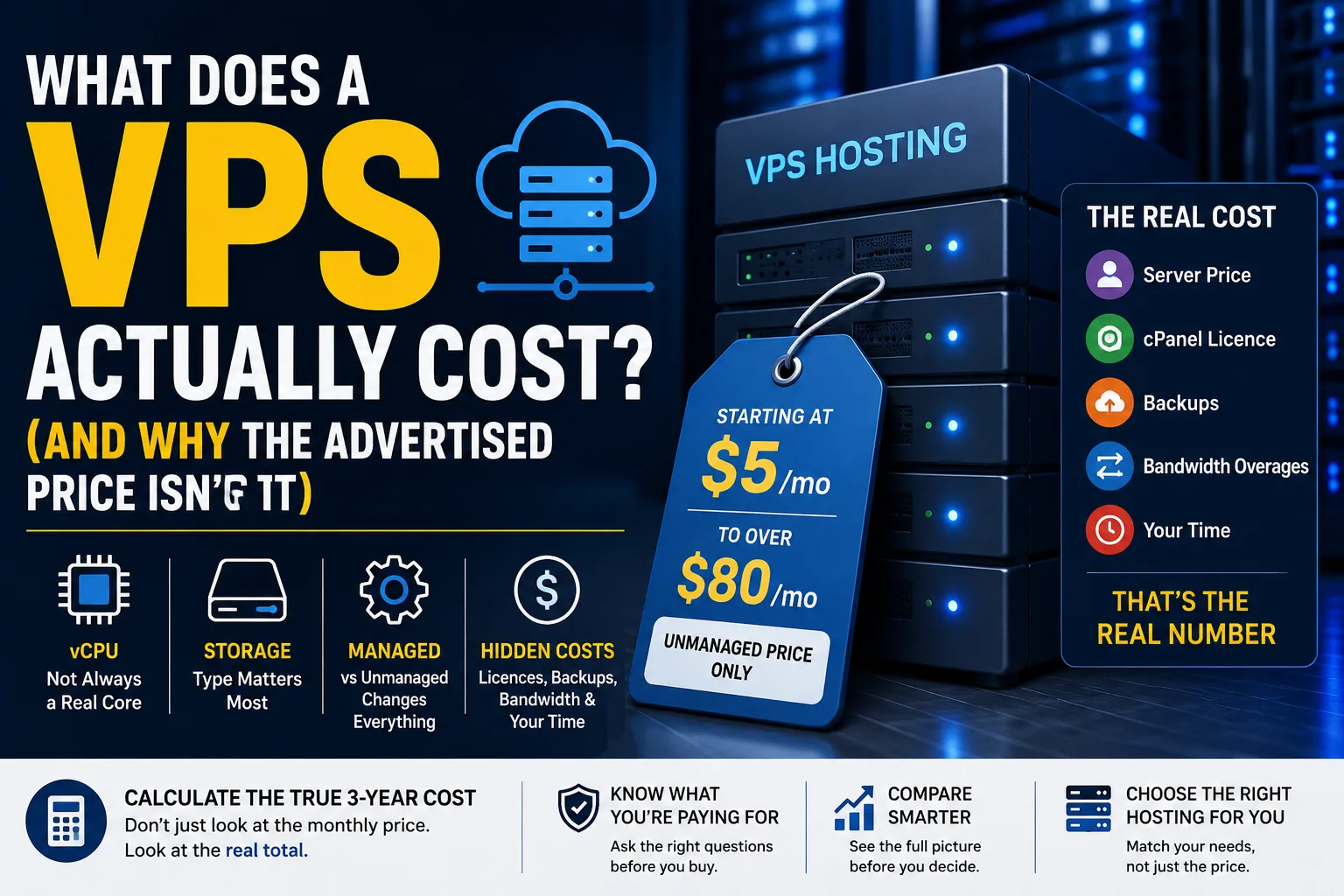
A VPS can cost between $5 and $80+ per month for the server. However, this price may not show the full cost. The VPS price you see is usually for an unmanaged server. This means you must set it up, secure it, update it, and fix any problems.
A $10 VPS and a $60 VPS can be quite different, even if they offer similar RAM and storage. The biggest difference may not be the hardware at all. It may be who is responsible for running the server.
Prices mentioned in this article were checked on 3 September 2026. Provider examples are included only to illustrate how VPS pricing works. They are not recommendations, and nobody pays to be named here.
What Are You Actually Buying With a VPS?
A VPS normally gives you a combination of four main resources:
- vCPU
- RAM
- Storage
- Monthly data transfer
These numbers show how much computing capacity is available. However, they don't tell the full story.
DigitalOcean offers a basic VPS. It includes 2 vCPUs, 4 GiB RAM, 80 GiB SSD storage, and 4,000 GiB transfer for $24/month. Its basic plans start at $4/month, while dedicated-CPU options start at $42/month.
Akamai's current Linode pricing also shows how wide the range can be. Their shared-CPU plans feature a 4 GB, 2-CPU setup for $5/month in select areas. However, dedicated-CPU and high-memory options are much pricier. Regional pricing can differ.
These figures are examples, not recommendations.
Why a vCPU Isn't the Same as a CPU Core
This is one of the easiest VPS specifications to misunderstand.
A vCPU is a virtual CPU assigned to your VPS. It doesn't mean you have a processor core just for yourself.
Some VPS plans use shared CPU resources. Your virtual machine may share physical CPU capacity with other customers. Some plans offer dedicated CPU resources. This means the CPU capacity is set aside just for your workload.
That difference can matter when your website or application needs sustained processing power.
CPU steal is another term worth knowing. It happens when your virtual machine needs CPU power, but the hypervisor is busy with other tasks. A VPS with two shared vCPUs may act differently than one with two dedicated vCPUs.
This is why comparing VPS plans only by the number of vCPUs can be misleading.
Does Storage Size Tell You How Fast the VPS Is?
Not necessarily.
Storage type can matter as much as storage capacity.
You may see:
- HDD
- SATA SSD
- NVMe SSD
An NVMe drive offers much faster storage than traditional spinning disks. This is especially true for tasks that involve many small read and write operations.
That matters for databases, application servers and some WordPress installations.
A VPS with 50 GB of NVMe storage works better for database-heavy apps. It's better than a cheaper VPS that has 200 GB of slower storage.
You don't always need more storage. Sometimes you need faster storage.
Managed vs Unmanaged: The Cost Difference That Matters Most
This is where VPS pricing becomes much more interesting.
An unmanaged VPS may give you the virtual server and leave the administration to you.
That means you may be responsible for:
- Installing software
- Security updates
- Firewall configuration
- Server hardening
- Monitoring
- Database services
- Web-server configuration
- Troubleshooting
A managed VPS can shift some or much of this responsibility to the provider.
The problem is that "managed" doesn't have one universal meaning.
Before paying extra, ask:
"If my site goes down due to a server issue, what will your support team do to fix it?"
That one question can tell you more than a "managed VPS" label.
Does cPanel Add to the VPS Cost?
If you want cPanel, don't assume it's included.
cPanel currently sells separate Cloud licences for VPS and cloud instances. As checked on 3 September 2026, the current prices are:
| Licence | Accounts | Monthly price |
|---|---|---|
| Solo Cloud | 1 | $29.99 |
| Admin Cloud | Up to 5 | $35.99 |
| Pro Cloud | Up to 30 | $53.99 |
| Premier Cloud | Up to 100 | $69.99 |
Annual pricing is also available for Solo, Admin and Pro licences.
So a $24 VPS with a $29.99 cPanel Solo licence could become $53.99 per month before backups or management.
That is a good example of why the advertised VPS price isn't always the number you will actually pay.
Snapshots Aren't the Same as Backups
Many VPS providers offer snapshots.
A snapshot captures the state of a server at a particular point in time. That's useful for rolling back after a failed update or configuration change.
But don't automatically treat a snapshot as your complete backup strategy.
If your snapshots are with the same provider, an issue can affect both. Problems with the account or platform can impact the VPS and the snapshots.
An off-site backup gives you another recovery option.
Check if backups are included. Note where they are stored. Find out how long they are kept. Also, see if restoration costs extra.
What About Bandwidth?
VPS plans usually include a certain amount of monthly data transfer.
Don't confuse that with the network port speed.
A server might have a 1 Gbps network connection but still have a monthly transfer allowance.
For example, DigitalOcean's basic plans have different transfer limits based on VPS size. The 2-vCPU/4-GiB plan currently offers 4,000 GiB of transfer.
If you often serve large downloads or videos, check the overage rate. This is important before you pick a plan.
Is Hourly Billing Cheaper?
It depends on how long you actually run the VPS.
Cloud providers often show both hourly and monthly pricing. A VPS costs $24 per month. It may also offer an hourly rate. This lets you pay for shorter periods instead of a full month.
This can be useful for:
- Testing
- Development
- Temporary projects
- Migration work
- Short-term workloads
For a production website that runs all the time, a monthly price is simpler to grasp and budget for.
Some providers also use more granular billing. DigitalOcean moved its Droplets to per-second billing on 1 January 2026. There is a minimum charge.
What Does Your Own Time Cost?
Unmanaged hosting can look cheap until you calculate your time.
Suppose server administration takes 2 hours per month.
Over three years:
2 × 36 = 72 hours
If you value your time at $40/hour, that is:
72 × $40 = $2,880
That's not an invoice from the hosting company, but it is still a real cost to your business.
Our hosting cost calculator includes your time. This helps you compare hosting options better.
What Does a VPS Really Cost Over Three Years?
Here's a simple illustration:
| Cost | Shared hosting | Unmanaged VPS | Managed VPS | Dedicated |
|---|---|---|---|---|
| Hosting | Lower | $5–$80+ | Higher | Highest |
| Management | Usually included | Your responsibility | Usually included/partial | Varies |
| Control panel | Often included | Extra or included | Depends | Depends |
| Backups | Depends | Often extra | Depends | Often extra |
| Your time | Lower | Higher | Lower | Higher if unmanaged |
These aren't fixed market prices. They are a comparison framework.
Use our hosting cost calculator for your numbers.
Include these items:
- Server
- License
- Backups
- Estimated admin time
When Is a VPS the Right Step?
A VPS makes sense when shared hosting has a specific limitation you can identify.
Maybe you need more RAM.
Maybe your application needs more CPU.
Maybe you need root access.
Maybe you need to install software that isn't available on shared hosting.
That is a better reason to move than simply thinking your website has become "big".
Our guide on Shared Hosting vs VPS vs Dedicated helps you find the best option for you.
Two Small VPS Servers or One Large One?
Two smaller VPS instances can sometimes provide better resilience than one large VPS.
If one instance fails, the second may continue serving traffic.
But this also adds complexity. You may need load balancing, shared data, database replication and better monitoring.
If you're comparing this method to hardware, check our dedicated server cost guide. It dives into the resilience and cost trade-offs.
What Should You Ask Before Buying a VPS?
Before ordering, ask these questions:
- Is the CPU shared or dedicated?
- What is the renewal price?
- Is management included?
- What exactly does "managed" cover?
- Is cPanel included, and if not, what will the licence cost?
- Are backups included?
- What does restoring a backup cost?
- What is the bandwidth allowance and overage rate?
The answers can completely change the real cost of a VPS.
Final Thoughts
A VPS advertised at $10 a month can genuinely cost $10 a month if you only need the basic server and can manage it yourself.
Add cPanel, managed support, and backups, and the cost rises. Also, consider the value of your time.
That's why there isn't one "correct" VPS price.
The better question is:
What will this VPS cost me to operate, not just what does the server cost?
When you gather all the details, comparing VPS plans gets easier. Then, you can see if upgrading from shared hosting is worth it.
If a renewal invoice is what pushed you to look at a VPS in the first place, our guide on why hosting renewal prices triple explains where that jump comes from.
Common questions
How much does a VPS cost per month?
A basic VPS can start around $5 per month, while more capable or dedicated-CPU VPS plans can reach $80 or more. The final cost depends on CPU resources, RAM, storage, management, licensing and backups.
Why are some VPS plans $5 and others $80?
The difference usually comes from the resources and the type of CPU allocation. A low-cost shared-CPU VPS can save you money compared to a VPS with a dedicated CPU, more RAM, or special storage.
What is a vCPU, and is it a real core?
A vCPU is a virtual CPU assigned to your VPS. It can use shared CPU resources or dedicated capacity. So, two VPS plans with the same vCPU count might perform differently.
Is a managed VPS worth the extra cost?
It can be if you don't want to handle server administration yourself. The value depends on what the provider manages. So, ask them what they will fix if a server issue takes your website offline.
Does a VPS include cPanel?
Not necessarily. cPanel offers Cloud licences for VPS setups. The Solo licence starts at $29.99 per month.
Are backups included with a VPS?
It depends on the provider and plan. Some offer backup services, but others charge extra. So, check the storage location, retention period, and restoration cost before you buy.
What is CPU steal?
CPU steal is when your VPS wants to use CPU resources. But the virtualization system is busy with another task. This mainly applies to shared-CPU environments. It can slow down performance when there's competition for resources.
Is a snapshot the same as a backup?
No. A snapshot captures the VPS's state at a specific time. A good backup plan helps you reliably recover your data. Keeping an additional copy away from the main infrastructure provides more protection.
How much RAM do I need for a VPS?
It depends on what you're running. A small website might need 1–2 GB. In contrast, WordPress can need more resources. If you use multiple services, databases, or heavy apps, it might need 4 GB or more.
Is unlimited bandwidth real on a VPS?
You should check the plan rather than assume it. VPS providers often set a monthly transfer limit. If you go over this limit, you may face extra fees or restrictions.
Should I pay hourly or monthly?
Hourly billing is useful for temporary servers, testing and short projects. For a production VPS that runs all the time, a monthly plan is easier to budget and compare.
Can I run a VPS without Linux knowledge?
Yes, but an unmanaged VPS can require substantial technical knowledge. If server updates, security, firewalls, or troubleshooting are hard, pick a managed VPS. It makes things easier.
When should I move from shared hosting to a VPS?
Act if you notice a clear limitation. This includes not enough RAM, CPU problems, needing root access, or software restrictions. Simply having more visitors doesn't automatically mean you need a VPS.
Would two small VPS instances be better than one large one?
They offer better resilience. If one instance fails, it won't bring everything down. The trade-off is additional complexity, including load balancing, data management and monitoring.