
Managed vs Unmanaged VPS: What Does "Managed" Actually Include?
An unmanaged VPS gives you the server and nothing else. A managed VPS moves some of that work to the provider. The problem is that "managed" has no standard meaning — two plans with the same label can cover very different things.
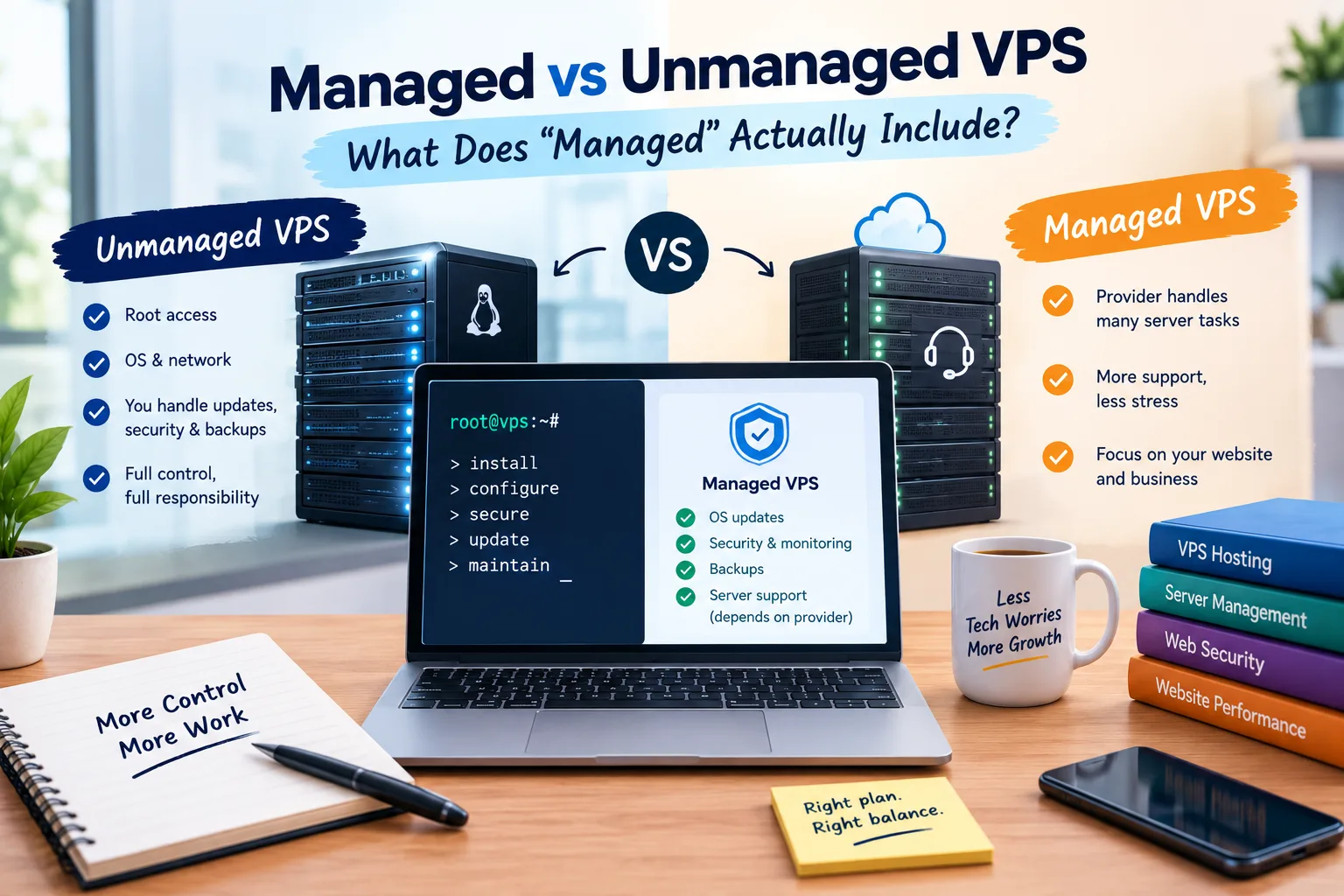
An unmanaged VPS gives you the server and nothing else. You install, secure, update and fix it. A managed VPS moves some of that work to the provider. The problem: "managed" has no standard meaning. Two "managed" plans can cover very different things.
What Unmanaged VPS Really Means
With an unmanaged VPS, the provider gives you a virtual server, an OS, and a network connection. After that, most of the administration is yours.
This involves:
- Installing and setting up the web server, PHP, and database.
- Setting firewall rules.
- Applying updates.
- Checking logs.
- Creating backups.
- Monitoring resources.
- Fixing service failures.
If something breaks at 2am, you are normally the person responsible for finding out why.
For developers and people comfortable with Linux and SSH, that control can be useful. The trade-off is that the lower monthly price comes with more responsibility.
What Can "Managed" Include?
The word managed is not a complete specification. One provider may offer routine updates and monitoring. Another might charge extra for configuration or troubleshooting. A helpful way to read the offer is to split common inclusions from tasks that need confirmation.
| Often included | Sometimes included | Rarely included |
|---|---|---|
| OS and security updates | Control panel installation | Fixing your own code |
| Firewall setup | Backups and restore help | Repairing custom applications |
| Monitoring and alerts | Server hardening | Fixing plugin conflicts |
| Basic server maintenance | PHP/web server/database tuning | Debugging application logic |
| Service restart assistance | Malware scanning and cleanup | Rewriting website code |
The Most Important Questions to Ask
Before buying, ask:
"If my site goes down because of a server problem, what exactly will your team do?"
Then ask: "Will you help if a plugin or my code causes the problem?" These questions are important. Many managed VPS plans cover the server itself, not the applications running on it.
A provider can handle the operating system, firewall, and server services. If WordPress, a plugin, a theme, or a custom app fails, contact your developer. That boundary should be clear before you pay.
The Price Difference Is Really a Time Question
Managed VPS hosting typically costs more since some administration is done for you. The useful comparison is therefore not only the VPS invoice. Think about how many hours you spend on updates, monitoring, and troubleshooting. Also, consider what that time is worth.
For a fuller breakdown of VPS pricing, including management and your own time, see What Does a VPS Actually Cost?
You can also compare longer-term scenarios with our hosting cost calculator.
Who Should Pick Unmanaged?
Unmanaged VPS hosting is best for those who know Linux, SSH, and basic troubleshooting. It's ideal for people who can handle updates, logs, and firewalls. Developers often prefer it because they can configure the environment exactly as needed.
It makes sense for development, testing, and staging servers. If you have the skills to maintain the machine, you won't need a support team for routine tasks.
Who Should Pick Managed?
Managed VPS hosting is great for business websites. Downtime can be costly, so this option helps. It's also ideal for those who want to avoid server management tasks.
It can also be useful for people without much Linux experience. Why spend hours diagnosing a service issue? You can ask the provider to check the infrastructure instead.
You still need to know what the provider does and does not cover.
The Middle Option
There is a useful middle ground between completely unmanaged and fully managed. You can choose an unmanaged VPS with a control panel. Or, you can mix an unmanaged VPS with a paid management service.
This can provide more control while giving you access to help for selected server tasks.
Compare the services and total cost instead of just focusing on the term "managed."
Red Flags in a Managed VPS Plan
- "Full management" with no list of included tasks.
- Support available only by email when urgent help may be needed.
- Extra fees for routine tasks you assumed were included.
- No response-time or support-availability information.
- No clear backup and restore policy.
- No distinction between server support and application support.
Security Is Part of the Unmanaged Trade-off
An unmanaged VPS that never receives updates can become a security risk. Operating system packages, web servers, PHP and other components need maintenance. Choosing unmanaged hosting means committing to that maintenance yourself.
If you don't have a routine for updates or backups, you can waste time. The cheaper monthly plan may take longer without monitoring and security checks. It may also need more effort than you thought.
Do Not Ignore RAM and CPU
Management is only one part of choosing a VPS. You still need enough RAM and CPU for the workload. A small website may need modest resources, while several WordPress sites, ecommerce workloads or database-heavy applications can need considerably more.
If you are unsure what size VPS you need, read How Much RAM and CPU Does a VPS Actually Need?
If you are deciding whether VPS hosting is the right step at all, see the Shared Hosting vs VPS vs Dedicated guide.
Questions to Ask Before Buying
- What server tasks are included?
- Are OS and security updates included?
- Are backups included, and how long are they retained?
- Can the provider restore a backup?
- Will they troubleshoot web server, PHP and database problems?
- Will they help with WordPress plugin or theme problems?
- Is the control panel licence included?
- What tasks cost extra?
- What support response time should I expect?
- Can I move from unmanaged to managed later?
The Bottom Line
Managed and unmanaged VPS hosting offer different responsibility models. They aren't just two prices for the same service.
With unmanaged hosting, you have more control. However, you must handle updates, security, monitoring, and troubleshooting yourself. With managed hosting, the provider takes over some of that work, but the exact boundary varies by plan.
The safest way to compare them is to ignore the label for a moment and ask what is actually included. Check who manages server failures, updates, backups, and security. Also, find out where application support ends. Once those boundaries are clear, the price difference is much easier to understand.
For more VPS guidance, browse the VPS Hosting category.
Provider Disclaimer
Hosting terminology and included features vary by provider and plan. The explanations above are for educational purposes; check the current service description, support scope, exclusions and pricing before purchasing. Nobody pays to be named here.
Common questions
What is the difference between managed and unmanaged VPS?
An unmanaged VPS leaves most server administration to you. A managed VPS shifts some maintenance, monitoring, updates or troubleshooting to the provider, depending on the plan.
Is unmanaged VPS cheaper?
It is often cheaper because you handle more of the administration. However, you should also consider your time, software licences, backups and any outside help you may need.
What does managed VPS hosting usually include?
It can include operating system updates, basic security maintenance, monitoring and server troubleshooting. The exact scope varies, so check the provider's service description.
Does managed VPS include backups?
Sometimes, but not always. Check how often backups run, how long they are retained and whether restores are included or charged separately.
Will a managed VPS provider fix my WordPress site?
Not necessarily. Many managed VPS plans cover the server and its services but do not include fixing WordPress code, plugins, themes or custom application problems.
Do I need Linux knowledge for an unmanaged VPS?
You do not have to be an expert, but you should be comfortable with basic server administration such as SSH, updates, logs, services and configuration.
Is managed VPS worth the extra cost?
It depends on how much server administration you can handle and what your time is worth. A business may value having fewer infrastructure tasks to handle, while an experienced developer may prefer self-management.
Can I switch from unmanaged to managed later?
Often, but it depends on the provider. Some offer management as an upgrade, while others require a different plan or service.
Is an unmanaged VPS less secure?
It can become less secure if updates and security maintenance are neglected. Unmanaged does not automatically mean insecure; it means you are responsible for the maintenance.
Does managed VPS include a control panel?
Not necessarily. A control panel may be included, optional or excluded. Check whether cPanel, Plesk or another panel is part of the quoted price.
What should I ask before buying a managed VPS?
Ask what updates, monitoring, backups and troubleshooting are included, what costs extra, how support works and whether application-level problems are covered.
Is a managed VPS the same as managed WordPress hosting?
No. Managed VPS normally refers to management of the virtual server and infrastructure. Managed WordPress hosting is specifically built around WordPress and may include WordPress-focused services.