How to Transfer a Domain to Another Registrar (and What Can Block It)
Unlock the domain, get the authorization code, start the transfer and approve it. The confusing part is the handful of rules that can block it completely — a 60-day lock, a stale auth code, an old registrant email, or an expired domain.
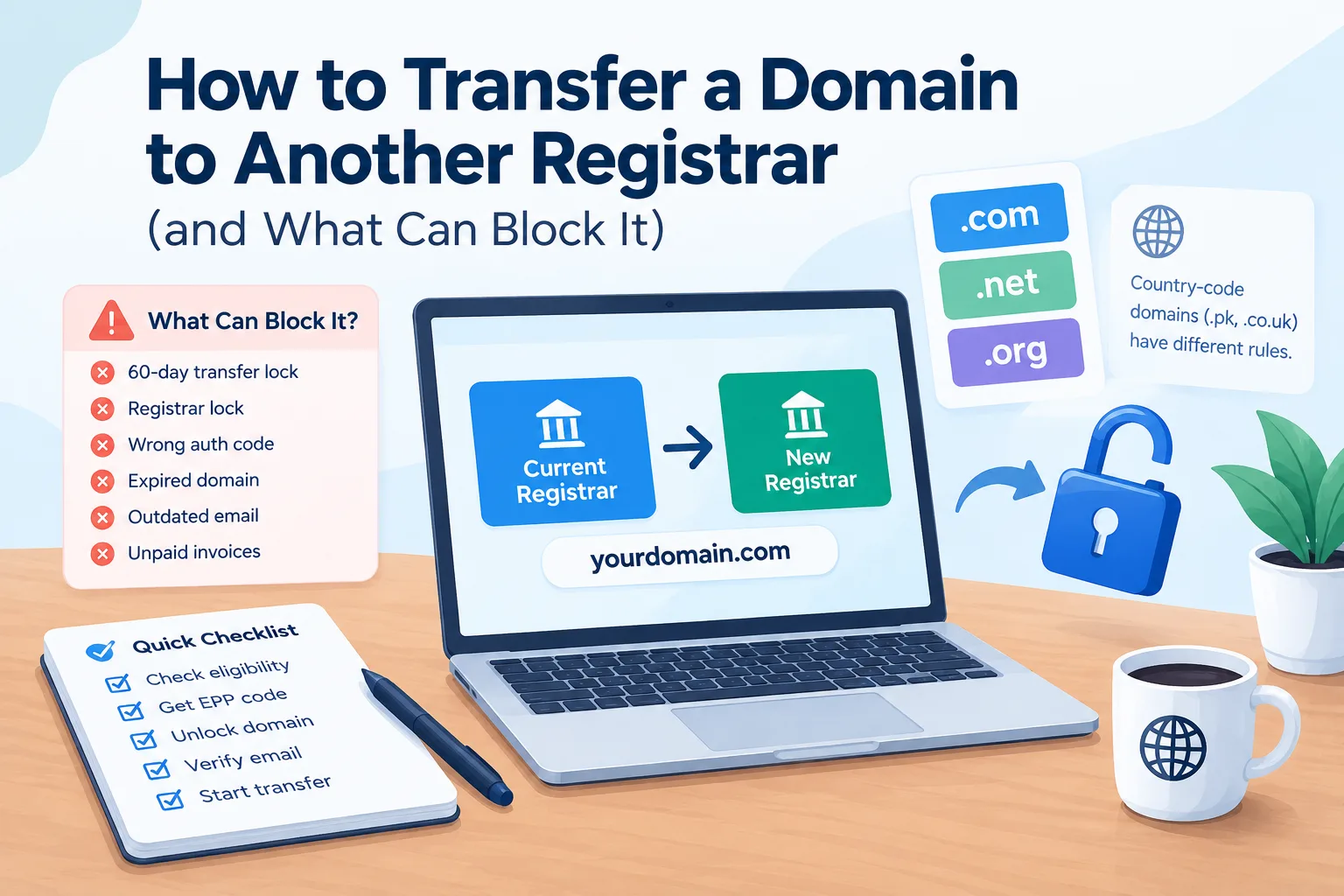
Moving a domain to another registrar is usually a straightforward process. You unlock the domain. Then, get the authorization code. Next, start the transfer with the new registrar. Approve the request and wait for it to complete.
The confusing part is that a few rules can stop the transfer completely or delay it for days or weeks.
ICANN's transfer rules cover many steps. This applies to common generic top-level domains (gTLDs) like .com, .net, and .org. Country-code domains like .pk and .co.uk have different rules. Always check the specific requirements for the domain extension you are transferring.
Before you start, it's important to know: transferring a domain is not the same as moving your website to a new host.
Domain Transfer vs Changing Hosting
These two things are often confused.
A domain transfer moves your domain from one registrar to another. It changes where your domain is registered. You might switch a domain to a new registrar. This could be due to better pricing, support, features, or management tools.
Changing web hosting means moving your website files and database to a different server.
You can change hosting without transferring your domain at all.
Your domain can stay with Registrar A, even if your website shifts from Hosting Company A to Hosting Company B. You would normally point the domain to the new hosting service by changing its DNS records or nameservers.
Likewise, you can transfer the domain to another registrar while keeping the website on exactly the same hosting server.
Keeping these two processes separate makes the whole thing much easier to understand.
How to Transfer a Domain to Another Registrar
For a typical .com, .net, or .org domain, the process looks something like this.
1. Check That the Domain Is Eligible
Start by checking the domain's current status.
If it was registered or transferred recently, you might need to wait. Another transfer to a different registrar may not be allowed yet.
ICANN rules usually limit transfers. This applies for the first 60 days after initial registration. It also applies for the first 60 days after a transfer from another registrar. A separate 60-day lock can also apply after certain changes to registrant information.
Not all domain extensions have the same rules. So, it's important to check the registry or registrar requirements.
2. Unlock the Domain
Registrars normally have a transfer lock designed to prevent unauthorized transfers.
You need to remove that lock before starting the transfer.
The setting may be called something like:
- Transfer Lock
- Registrar Lock
- Domain Lock
- Client Transfer Prohibited
The exact wording depends on the registrar.
If the domain is still locked, the new registrar may not be able to complete the transfer.
3. Get the Authorization or EPP Code
The authorization code is a security code used to authorize a domain transfer.
You may see it called:
- EPP code
- Auth-Code
- Authorization code
- Transfer code
The name varies, but the purpose is essentially the same.
Your current registrar should provide a way to obtain it. ICANN says the current registrar must give the Auth-Code. This happens during the transfer to the registered name holder.
Keep the code private. It is part of the authorization process for moving the domain.
4. Check the Registrant Email
Check that the contact info for the domain is correct. Also, ensure you can access the email account linked to it.
This matters. Transfer confirmation depends on contact info and the steps registrars use for authorization.
It is also worth checking this before changing registrant details.
Why?
Certain changes to registrant information can trigger a 60-day transfer lock. ICANN lets registrars offer an opt-out in some cases. However, they don't have to provide this option.
If your main goal is to transfer the domain, it's best to finish the transfer first. Avoid making unnecessary changes to contact information.
5. Start the Transfer at the New Registrar
First, unlock the domain. Get the authorization code. Then, start the transfer with your chosen registrar.
You will normally enter:
- Your domain name
- Authorization/EPP code
- Contact details
- Payment information
The new registrar will submit the transfer request and tell you what needs to happen next.
6. Approve Any Confirmation Requests
You might get an email or another confirmation request. It depends on the registrar and the transfer process.
Don't ignore these messages.
If a required confirmation is not completed, the transfer can be delayed or fail to proceed.
ICANN's current Transfer Policy includes authorization and confirmation requirements for registrar transfers.
7. Wait for the Transfer to Complete
A domain transfer does not normally happen instantly.
For many common gTLD transfers, it can take five to seven days. The exact time depends on the registrars. It also relies on how fast they approve the transfer.
Once the transfer completes, the new registrar becomes the registrar of record.
What Can Block a Domain Transfer?
If your transfer is not going through, one of these issues is often responsible.
The Domain Is Within a 60-Day Lock
This is one of the most common reasons.
A domain usually can't be transferred for 60 days. This applies after registration or when changing registrars. A separate 60-day lock may also follow certain changes to registrant information.
Some registrars let you opt out of the lock after changing registrant info, but they don't have to.
The Registrar Lock Is Still Enabled
If the domain has a transfer lock, the new registrar might reject the request or can't complete it.
Check the domain settings at the old registrar before starting again.
The Authorization Code Is Wrong
An expired, incorrect, or mistyped EPP/Auth-Code can stop the transfer.
If you're unsure whether the code is still valid, request a fresh one from the current registrar.
The Registrant Information Is Outdated
Old email addresses can be a problem, especially if they're linked to the domain.
Make sure you can access the correct account and contact info before you start the transfer.
The Domain Has Expired or Entered Redemption
An expired domain requires extra attention.
For ICANN-regulated gTLDs, a domain's expiration doesn't mean it can't be transferred. ICANN states that you can usually transfer an expired domain. However, the registrar might block the transfer if there are unpaid registration fees. If the domain is in the Redemption Grace Period, the current registrar must restore it first. Then, a transfer can happen.
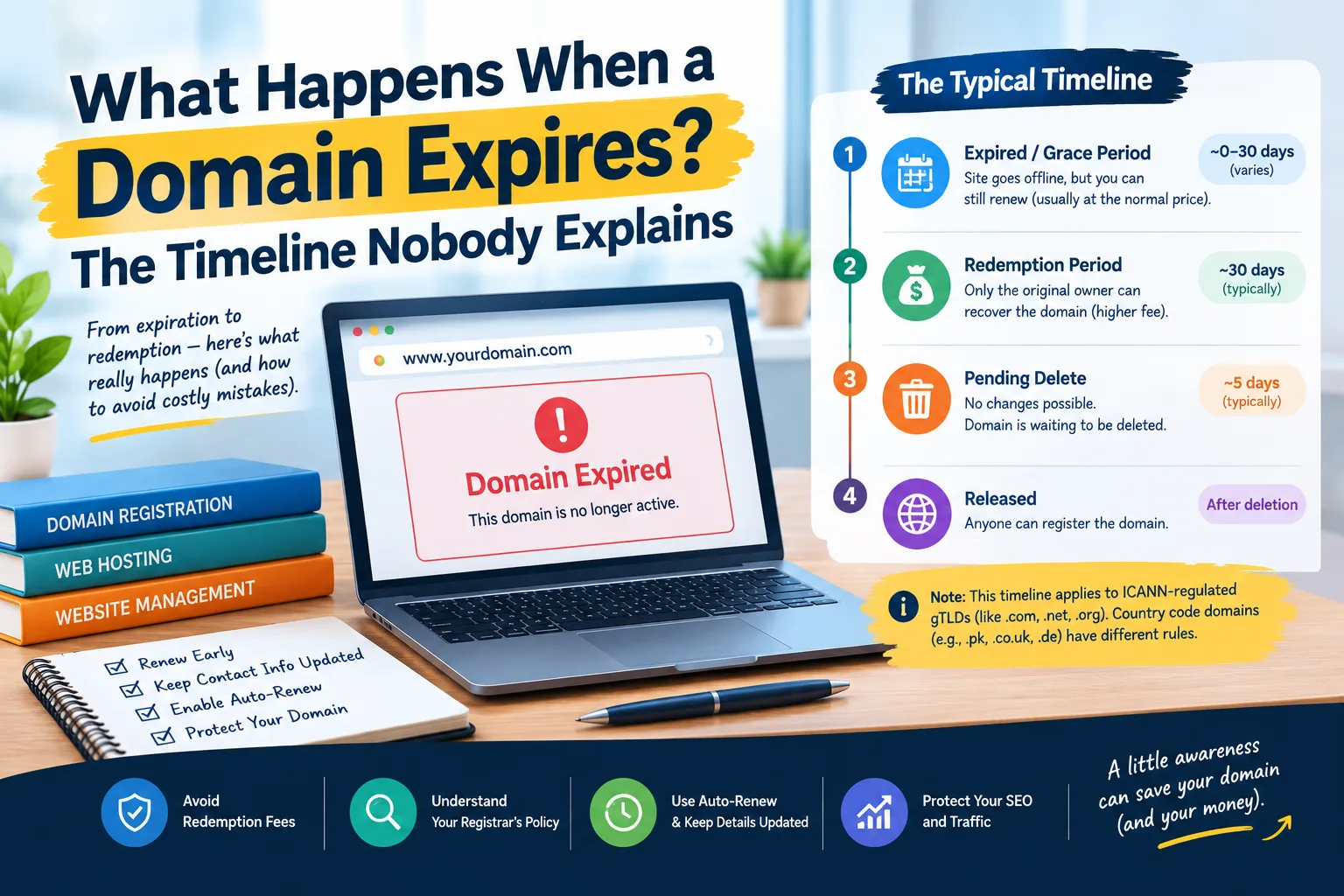
If you're dealing with an expired domain, read What Happens When a Domain Expires? before starting the transfer.
The timeline differs by extension. This is another reason not to assume every domain has the same grace period.
There Is an Outstanding Payment Issue
Unpaid registration fees can lead a registrar to deny a transfer for gTLDs. This is part of ICANN's Transfer Policy. The policy separates payment situations based on whether the domain has expired.
A registrar can't just use an unrelated unpaid hosting invoice to block all transfers.
The actual transfer rules and the reason given by the registrar matter.
Does a Domain Transfer Add a Year?
Usually, yes.
A standard holder-authorized registrar transfer follows the ICANN Transfer Policy. It adds one extra year to the registration. This is limited by the maximum term allowed by the registry.
If your domain has eight months left, a normal transfer will give you about 20 months after adding a year.
There are exceptions and special cases, so "usually" is the right word here rather than "always."
The transfer fee usually covers the extra registration year. However, prices and terms can change based on the registrar and domain extension.
Will My Website Go Down During a Domain Transfer?
Normally, no.
A registrar transfer does not automatically change your website's DNS settings.
Your website will keep working during the transfer. This is true if your nameservers and DNS records stay the same.
The bigger risk is what happens to the DNS records.
Suppose your DNS is hosted by the old registrar and contains records such as:
- A
- AAAA
- CNAME
- MX
- TXT
If those records are lost or changed during the move, your website and other services might not work.
Before starting a transfer, make a copy of your DNS records.
This is especially important if the domain is handling business email.
Don't Forget About Email
Your website is not the only thing connected to a domain.
Email often depends on MX records in DNS.
Missing records after a DNS change can stop incoming email. The website may still look fine.
You should therefore record your MX records before transferring the domain.
Also keep a copy of any important:
- TXT records
- SPF records
- DKIM records
- DMARC records
- CNAME records
- Verification records
This helps services like Google Workspace and Microsoft 365. It also works with email platforms. It connects to analytics tools and other services that need DNS verification.
Watch Out for the Cheap Transfer Price
A low transfer price can look attractive, but don't stop your comparison there.
Some registrars offer a low first-year transfer fee. But they raise the price significantly at renewal.
The key number is the renewal price after the transfer, not just the promo transfer fee.
Before moving your domain, compare:
- Transfer price
- Renewal price
- Privacy options
- DNS management
- Email forwarding
- Additional domain fees
- Support
- Any required add-ons
If you want to save money by transferring, look at the renewal issue in Why Did My Hosting Renewal Price Triple? Hosting and domain renewals are different services. But remember, the introductory price may not last.
A Quick Checklist Before You Start
Before clicking the transfer button, make sure you have:
- Confirmed the domain is eligible for transfer
- Checked whether a 60-day lock applies
- Unlocked the domain
- Obtained the current EPP/Auth-Code
- Confirmed you can access the relevant registrant email
- Checked the domain's expiration date
- Saved all DNS records
- Saved your MX records for email
- Compared the transfer and renewal prices
- Checked the new registrar's terms
- Confirmed whether the domain extension has special transfer rules
Check these items first. It can save you from starting a transfer and later finding out the domain is locked or the code doesn't work.
What If You Are Transferring a .pk Domain?
This is where you should be careful about applying rules from .com to every other domain.
.pk is a country-code top-level domain (ccTLD), while .com, .net, and .org are generic top-level domains.
The transfer process for a ccTLD can differ from ICANN rules for gTLDs. This includes eligibility requirements, fees, authorization methods, and timing.
The same applies to extensions such as .co.uk.
When moving a .pk domain, don't expect the EPP code, 60-day rule, or transfer process to work the same way as a .com transfer.
Check the requirements of the relevant registry and both registrars before beginning.
Is Transferring a Domain the Same as Moving Hosting?
No.
This is worth repeating because it causes a lot of unnecessary confusion.
Domain transfer = changing the company that manages your domain registration.
Hosting migration = moving your website to a different server or hosting provider.
You can do either one without doing the other.
If you're unhappy with your website's speed, moving the domain to a new registrar might not help.
In that case, it's best to check if the problem is linked to your hosting or website. See Your Site Is Slow — Is It the Host or Your Site? for a practical way to separate server-related problems from website-related ones.
The Bottom Line
Transferring a domain to another registrar is usually easier than it first appears.
To transfer a .com, .net, or .org domain, follow these steps:
- Check eligibility.
- Unlock the domain.
- Get the authorization code.
- Confirm your contact details.
- Start the transfer.
- Approve any requests.
- Wait for completion.
The problems usually come from the details.
A transfer can be delayed by:
- A 60-day lock
- A wrong authorization code
- An old email address
- An expired domain
- Missing DNS records
So, check these factors to avoid issues.
And remember that moving the domain does not mean moving the website. Your site can remain on the same hosting account as long as your DNS continues pointing to it.
Before starting, save your DNS and email records. Then, check the transfer and renewal prices. Also, verify the rules for your domain extension.
For more domain-related guides, visit the Domains category.
Common questions
How long does a domain transfer take?
Most standard gTLD transfers take five to seven days. Some may finish sooner. The timing depends on the registrars. It also hinges on how quickly they approve the transfer.
What is an EPP or authorization code?
An EPP code, known as an Auth-Code or authorization code, is given by your current registrar. This code allows you to transfer your domain to a new registrar.
Why can't I transfer my domain?
Common reasons are a registrar lock, a 60-day transfer restriction, an incorrect authorization code, outdated contact information, or a domain status preventing transfer. Expiration or payment issues can also matter in certain circumstances.
What is the 60-day transfer lock?
For ICANN-regulated gTLDs, you can't transfer a domain for 60 days after you register it. Also, you can't transfer it for 60 days after a previous registrar transfer. A 60-day lock can also apply after certain changes to registrant information. Some registrars may allow users to opt out of the latter lock, but they are not required to.
Will my website go down during a domain transfer?
Normally, no. A registrar transfer does not by itself change your DNS or website hosting. Changing, deleting, or moving DNS records can cause problems.
Will my email stop working during a domain transfer?
It should not if your MX records remain correct. Before you start the transfer, save your MX, TXT, CNAME, and other key DNS records. This way, you can restore them if needed.
Does transferring a domain add a year to the registration?
Usually, yes. A standard holder-authorized transfer under the ICANN Transfer Policy adds one year. This extends the current registration. This follows the registry's maximum registration term. It also includes any exceptions that apply.
Can I transfer an expired domain?
Often, yes, for ICANN-regulated gTLDs. Expiration by itself does not automatically prevent a transfer. If the domain is in the Redemption Grace Period, the current registrar must restore it. This must happen before the transfer. Other payment or status issues can also prevent the transfer.
Is transferring a domain the same as changing hosting?
No. A domain transfer changes the registrar responsible for the domain registration. Changing hosting moves the website to another hosting server or provider. You can do one without doing the other.
Do I need to change nameservers when transferring a domain?
Not necessarily. If your nameservers are set to the right DNS provider or hosting service, you often don't need to change them. This is true when you transfer your registrar.
Can I transfer a .pk domain the same way as a .com?
Not necessarily. .pk is a country-code domain, and its registry rules can differ from the ICANN rules used for gTLDs such as .com. Check the transfer requirements for the .pk domain. Also, look at the registrars involved.
How much does it cost to transfer a domain?
The price depends on the domain extension and registrar. For many common gTLDs, transferring typically adds a year to the registration. However, the fee can differ. Check both the transfer price and the normal renewal price. Then, decide where to move the domain.