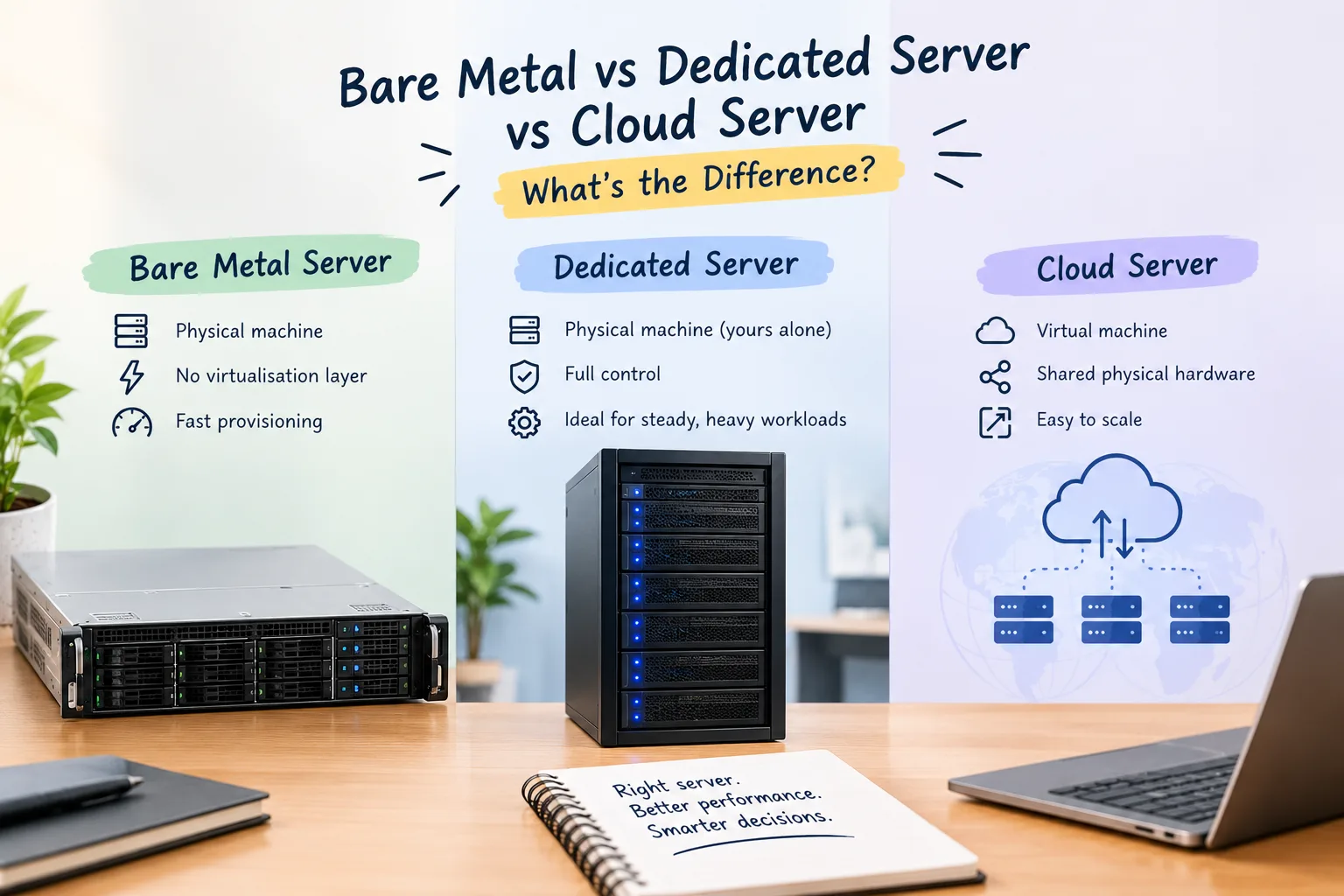
Bare Metal vs Dedicated Server vs Cloud Server: What's the Difference?
A dedicated server is a physical machine used only by you. Bare metal is usually the same hardware sold differently. A cloud server is normally a virtual machine on shared hardware. The trouble is that providers don't use these names consistently.
Dedicated server, bare metal server, and cloud server are often seen as separate. Each type serves a unique purpose. They don't always.
A dedicated server is a physical machine used only by you. Bare metal refers to a physical server that lacks a virtualization layer. It often comes with faster setup and more flexible billing options. A cloud server is usually a virtual machine. It runs on physical hardware that many customers share.
The tricky part is that hosting companies don't use these names consistently. Two providers can sell very similar infrastructure while calling it something different. That's why the name on the pricing page isn't enough. Before comparing services, look at what hardware and resources you're actually getting.
Bare Metal vs Dedicated vs Cloud
Here's the basic difference without the hosting jargon:
| Feature | Dedicated Server | Bare Metal | Cloud Server |
|---|---|---|---|
| Physical hardware | Yours alone | Yours alone | Usually shared |
| Virtualisation | Usually none | Usually none | Usually present |
| Provisioning | Often slower | Often faster | Usually very fast |
| Billing | Usually monthly | Monthly or hourly | Often hourly or monthly |
| Scaling | Hardware upgrade | Hardware upgrade | Usually easier |
| Performance | Generally consistent | Generally consistent | Depends on the infrastructure |
| Typical use | Long-term workloads | Flexible physical workloads | Variable workloads |
These are general patterns. A provider can package its services differently, so check the actual specifications before making a decision.
Dedicated Server vs Bare Metal
In many cases, a dedicated server and a bare metal server are basically the same thing. Both can give you an entire physical machine instead of a virtual slice of someone else's server.
The difference is often in the way the service is sold.
Traditional dedicated hosting is commonly offered as a monthly service. You choose a server, pay for it each month, and keep using that machine.
Bare metal services are often designed with more automation. You may be able to provision a machine quickly, use it for a shorter period, or pay by the hour.
That doesn't mean every bare metal server is hourly or every dedicated server takes days to set up. Those are simply common differences in how the products are positioned.
If you see both terms on a provider's website, don't assume they are different. They may not be. Check the CPU, RAM, storage, network, billing and provisioning details.
Cloud Server vs VPS
Cloud servers and VPS hosting have a lot in common.
Both normally use virtualisation. Your server runs in a virtual environment on physical hardware. This means you don't get a whole physical machine just for yourself.
The word "cloud" usually points toward flexibility. Cloud platforms let you make servers fast. You can also change resources easily.
A VPS can offer many of the same basic benefits.
To figure out how much CPU and RAM a virtual server needs, How Much RAM and CPU Does a VPS Actually Need? goes into the practical side of VPS sizing.
You can also look at What Does a VPS Actually Cost? when comparing the real cost of running a virtual server.
Don't assume that cloud always means faster or that VPS means limited. The actual resources and infrastructure matter more than the label.
What Is a Noisy Neighbour?
A noisy neighbor is just another customer who uses the same resources a lot. This can impact others.
This can occur in shared or virtualized environments. The extent varies based on how the provider manages and isolates resources.
Think of it like sharing a building. You have your own room. But if there's heavy activity nearby, it can impact your space.
With a dedicated or bare metal server, you have the whole physical machine. Another customer isn't running their website on the same server and consuming its CPU or RAM.
That can make a physical server attractive when predictable performance matters.
It doesn't mean a dedicated server can never become slow. Your own database, application, configuration or traffic can still create bottlenecks.
When Does a Dedicated Server Make Sense?
Physical hardware is best when the workload is heavy. It also works well when the workload is predictable.
For example, you could have a big database that runs all the time. You might also have an app that uses a lot of resources or software that works better with a whole machine to itself.
Compliance requirements can also influence the decision. Some businesses need specific infrastructure arrangements or greater control over their environment.
Another reason is consistency.
If your app uses a lot of CPU and RAM daily, it might make more sense to pay for a whole physical server. This can be easier than always tweaking a virtual setup.
This is particularly true for workloads that run 24/7.
When Does Cloud Make More Sense?
Cloud servers become more useful when your workload changes.
Picture an online store. It sees regular traffic most of the month. But during seasonal sales, the traffic spikes significantly.
A developer might need several temporary servers for testing. Once the project is done, they want to remove them.
In these situations, cloud infrastructure is handy. You can create, change, and remove resources quickly.
You don't necessarily need to keep the same physical capacity running all year.
That's where cloud can have a financial advantage too.
But don't assume cloud is always cheaper. Leaving large resources running all the time can lead to unexpected bills.
Look at the Cost, Not Just the Price Tag
A dedicated server can offer better value for tasks that use a lot of resources all the time. You're paying for the physical machine whether you're using every bit of it or not. For a steady 24/7 workload, that can work in your favour.
Cloud hosting has a different cost structure. You may pay according to resources and usage, which can be useful when demand changes.
The downside is that variable billing requires more attention. Storage, bandwidth, extra services, and running resources can all raise the final bill. Each factor adds to the total cost.
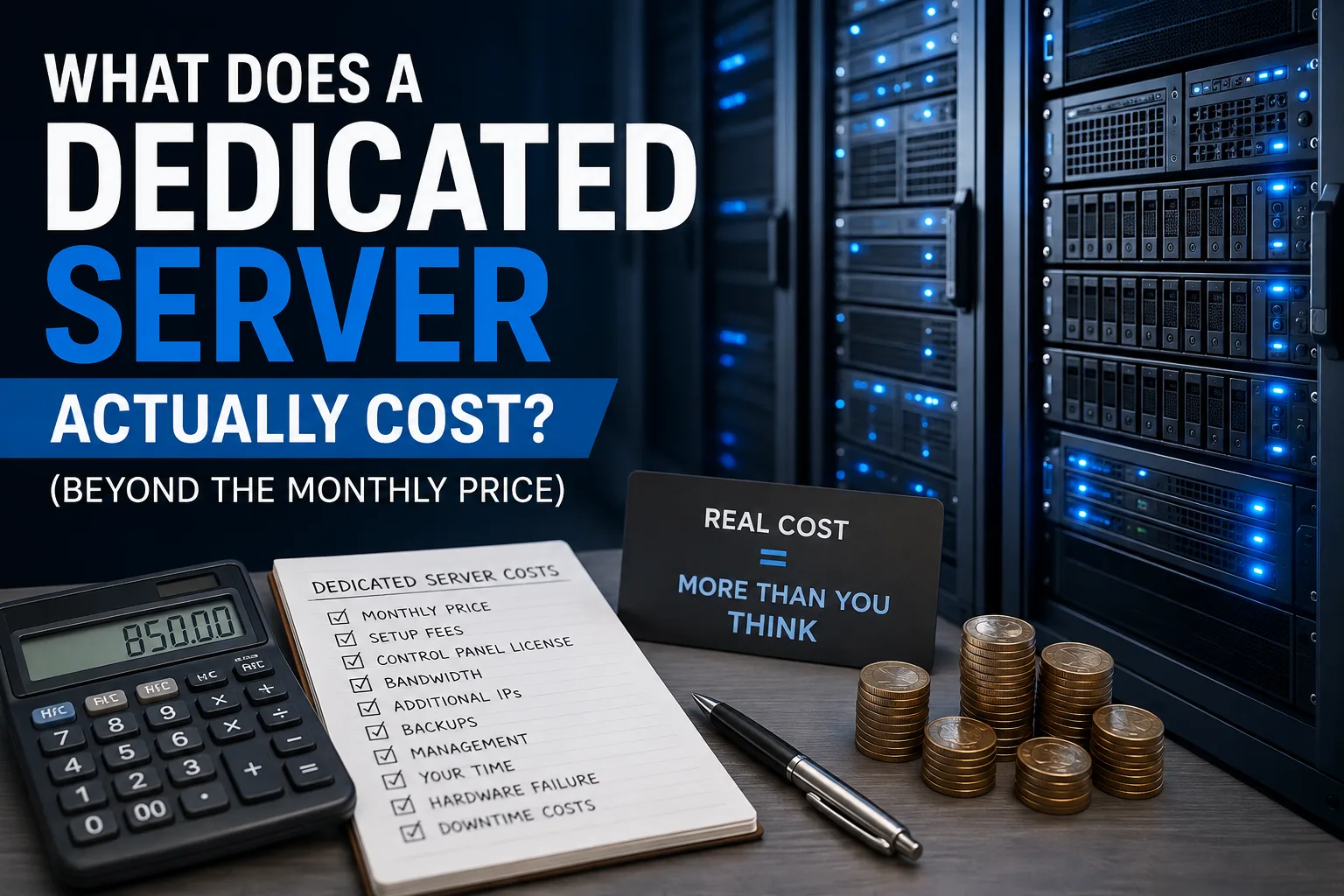
To grasp the real costs beyond the monthly fee, What Does a Dedicated Server Actually Cost? is useful when working out a physical server budget.
The cheapest number on a pricing page isn't always the cheapest option over a full year.
What About Server Management?
Buying a physical server doesn't mean someone will manage it for you.
Many dedicated and bare metal services are unmanaged. The provider gives the machine and network. You handle the operating system, software, updates, security, and applications.
Managed services can take some of that work away, but exactly what's included varies.
For example, "managed" might include operating-system updates but not application troubleshooting. Another provider may offer a much broader management package.
So, be sure to check the support and management details before you pay for the service.
What Does "Managed" Actually Mean?
When you compare management levels, know what "managed" means. Here's a simple breakdown:
- Managed VPS: The host handles updates, security, and backups. This means less work for you.
- Unmanaged VPS: You do it all. That includes installation, updates, and security. It needs more technical skills.
Pick the option that fits your needs and skills best.
Our guide on Managed vs Unmanaged VPS explains the distinction in more practical terms.
Can a Dedicated Server Scale?
Yes, but not in quite the same way as cloud hosting.
You can easily adjust resources with cloud infrastructure. Just use software or a control panel.
A physical server is different. You're working with the hardware that is actually installed in the machine.
You may be able to add RAM or storage, depending on the server. Eventually, though, you may need to move to a larger machine.
That means physical infrastructure usually requires more planning.
If you expect more work ahead, consider how challenging a future migration might be. Choose your server wisely.
Don't Choose Hardware Just Because Traffic Sounds High
A website getting a lot of visitors doesn't automatically need a dedicated server.
A well-optimized website with caching can manage high traffic. It doesn't always need a full physical machine, especially if the workload is simple.
A small site with a large database or a heavy app may need extra server power. This need might not match its visitor count.
Server requirements should be based on actual workload, not just traffic numbers.
Before upgrading, check what's causing the resource usage.
A slow website can have several issues. It might be a database problem, bad plugins, unoptimized images, or poorly written code. Moving it to a more expensive server won't necessarily fix those problems.
Dedicated, Bare Metal or Cloud?
There isn't one answer that works for everyone.
A dedicated server is a good choice if you need a whole physical machine for a long-term task.
Bare metal gives you physical hardware. It also offers faster provisioning, automation, and flexible billing.
A cloud server is usually best for changing resources or when you need temporary setups.
If you have a small hosting setup, look at Shared Hosting vs VPS vs Dedicated. It gives you a clear comparison of your options.
You can also explore the Dedicated Servers category for related hosting topics.
The important thing is to start with the workload rather than the product name.
Consider how much CPU and RAM you require. Think about the consistency of your traffic. Also, decide if you need to scale quickly and how much server management you can manage.
The Simple Rule
If your workload is steady and heavy, think about using dedicated or bare metal hardware.
If your workload changes regularly, cloud can give you more flexibility.
If your website is relatively small, you may not need either one.
And if you're still unsure, don't let the word "cloud" or "bare metal" make the decision for you. Compare the actual resources, billing model, management, scaling options and total cost.
The hardware should fit the workload — not the other way around.
Provider Disclaimer
This article is for general educational and informational purposes. Provider and product names are mentioned only as facts. They are not endorsements or recommendations. Hosting specs, pricing, availability, and billing models differ by provider. They can also change over time. Nobody pays to be named here.
Common questions
What is a bare metal server?
A bare metal server is a physical server. It is dedicated to one customer. There's no virtualization layer between the operating system and the hardware. The term usually describes physical infrastructure that can be set up quickly. Sometimes, it's billed by the hour. However, providers use the term differently, so always check the actual specifications.
Is bare metal the same as a dedicated server?
Often, yes. Both can provide an entire physical server to one customer. The main difference is frequently the way the service is packaged. Dedicated servers usually come with monthly contracts. In contrast, bare metal services often provide faster setup and more flexible billing. The underlying hardware can be very similar.
What is the difference between a cloud server and a VPS?
Both are generally virtual servers running on physical hardware. A VPS stands for a virtual private server. A "cloud server" usually means a VPS that comes from a bigger cloud setup. This makes it easier to set up and scale. The exact difference depends on the provider's setup. It also depends on how they define their products.
Is a dedicated server faster than a cloud server?
Not necessarily. A dedicated server gives you the whole physical machine. This means you get stable hardware performance. But actual speed also depends on the application, database, storage and configuration. A well-set-up cloud server can run very fast. But a poorly set-up dedicated server might still be slow.
Is bare metal more expensive than cloud?
It depends on how you use it. Bare metal can provide good value for workloads that need substantial resources continuously. Cloud is often cheaper for temporary or changing workloads. You can adjust resources easily. Cloud costs can rise if resources stay active all the time or if you add more services.
What is a noisy neighbour in hosting?
A noisy neighbor is another user of shared resources. Their heavy usage can impact other workloads. The impact depends on how resources are isolated by the provider. Dedicated and bare metal servers don't face this problem. That's because the physical machine belongs to just one customer.
Can I scale a dedicated server?
Yes, but physical scaling is less flexible than cloud scaling. Depending on the hardware, you may be able to add RAM or storage. If the machine eventually becomes too small, you'll need to move to a larger server. Choose dedicated hardware with future growth in mind. This may require migration planning.
Is bare metal hosting managed?
Not automatically. Bare metal hosting is usually unmanaged. The provider gives you the physical servers. You manage the servers. Some providers offer managed services separately. Always check what's included. This is key for operating-system updates, security, backups, and troubleshooting. "Managed" can mean different things depending on the provider.
When should I choose a dedicated server over cloud?
Choose dedicated hardware when your workload is heavy, you need reliable resources, or your app needs a whole machine to run well. Cloud may be more practical when demand changes frequently. Choose based on your workload, scaling needs, and budget. Don't just pick the option that sounds more powerful.
Are cloud servers less secure than dedicated servers?
Not automatically. Security depends on configuration, software updates, access controls, network design and application security. A dedicated server solves shared-hardware problems. However, it won't protect you from software flaws. A well-set-up cloud environment can be secure. In contrast, a poorly managed dedicated server can be at risk.
Can I get hourly billing on a dedicated server?
Some providers charge by the hour for physical servers, usually called bare metal. Traditional dedicated hosting is more commonly billed monthly. The exact options depend on the provider. If hourly billing matters, check the minimum rental period, setup fees, bandwidth charges, and what happens when you stop using the server.
Do I need a dedicated server for a high-traffic website?
No. High traffic alone doesn't mean you need a dedicated server. The website type, database activity, caching, app code, and number of users all matter. Some busy websites thrive on cloud infrastructure. However, a smaller app that uses a lot of resources might need dedicated hardware. Measure the workload before upgrading.